- Guest photos
- Weddings
- Comparison
QR Photo Sharing vs Google Drive vs Facebook Albums
By the Inbitado team4 min read
On this page
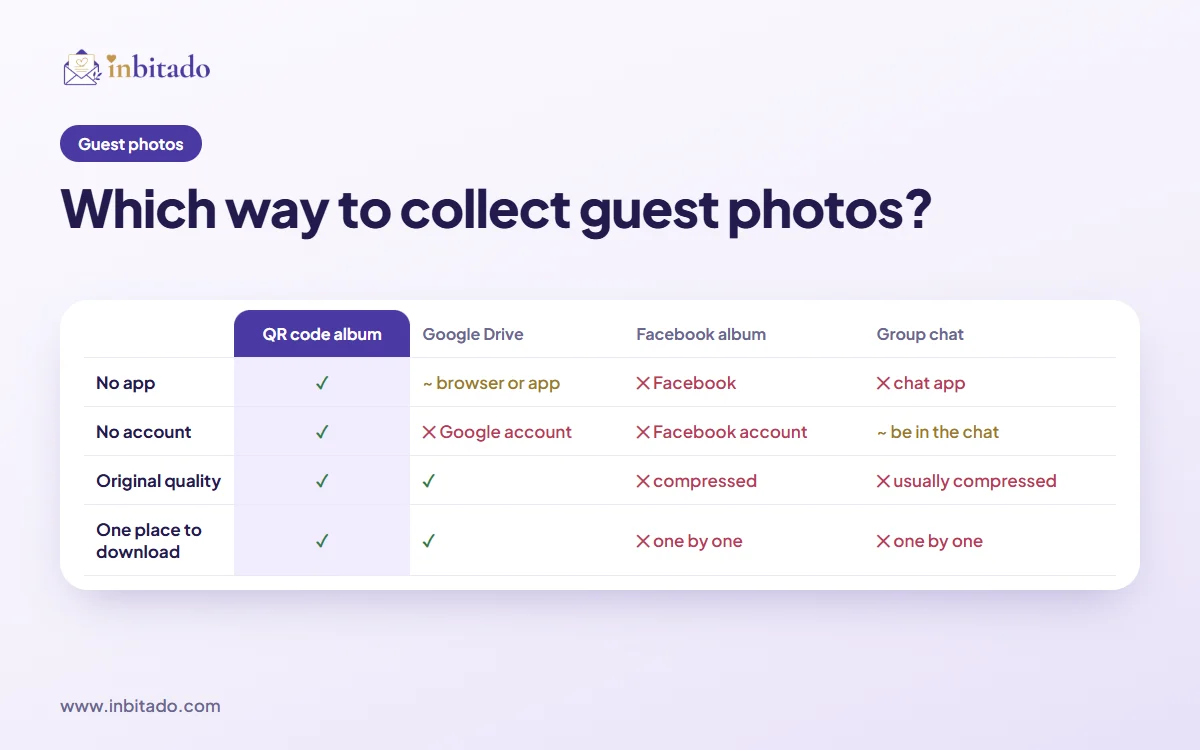
After a wedding or a debut, the photos are spread over a hundred phones. There are four common ways to bring them together: a group chat, a shared Facebook album, a Google Drive or Google Photos link, and a QR code album like Inbitado. Each works. They differ in how much they ask of your guests, and in what you get back.
This guide compares them honestly, including when the free options are enough.
The short answer
- For a small, tech-savvy group where everyone has a Google account, a shared Google Drive folder or Google Photos album works well and costs nothing.
- For a big Filipino celebration with titos, titas, lolos and lolas, the best option asks guests for nothing: no app, no account, no login. A QR code album like Inbitado does that, and keeps every photo in its original quality.
- Group chats and Facebook albums are easy to start but usually shrink photos and videos, and the pictures end up scattered.
Side by side
| QR code album (Inbitado) | Google Drive or Photos | Facebook album | Group chat | |
|---|---|---|---|---|
| App guests need | None, opens in the browser | Browser or the Google app | Messenger or Viber | |
| Account guests need | None | A Google account | A Facebook account | Already in the chat |
| Photo quality | Original, as taken | Original in Drive; Photos depends on each person's settings | Compressed | Usually compressed |
| Videos | Yes, originals kept | Yes | Yes, compressed | Often trimmed or compressed |
| How guests join | Scan one QR code at the venue | Open a shared link | Be added as a contributor | Be in the chat |
| Download everything | One album, download anytime | Download the folder | One by one | One by one |
| Who sees the photos | Only people with the link, optionally a PIN | Anyone with the link, or chosen accounts | Depends on album privacy | Everyone in the chat |
| Cost | Free to start, paid plans for more storage | Free up to each account's storage | Free | Free |
Group chat
How it works: you ask everyone to send their photos to the family group chat or a new one.
Good: everyone already knows how, and it costs nothing.
Watch out for: most chat apps shrink photos and videos to save data, so what you receive is smaller than what was taken. Photos get buried between messages, and saving them means tapping one at a time. Guests who are not in the chat cannot share at all.
Facebook album
How it works: you create a shared album and add guests as contributors.
Good: familiar to almost everyone in the Philippines, and the photos are easy to like and comment on.
Watch out for: every contributor needs a Facebook account and has to be added. Facebook compresses photos and videos, so they are not the originals. Downloading a whole album at full size is not simple.
Google Drive or Google Photos
How it works: you share a folder or album link, and guests add their photos.
Good: free, and Google Drive keeps files in their original quality. A good choice when your guests are comfortable with Google and already signed in.
Watch out for: guests usually need to sign in with a Google account to add photos, which stops many older guests at the door. In Google Photos, quality depends on each uploader's backup settings. Links are often shared without limits, so it is worth checking who can open them.
QR code album (Inbitado)
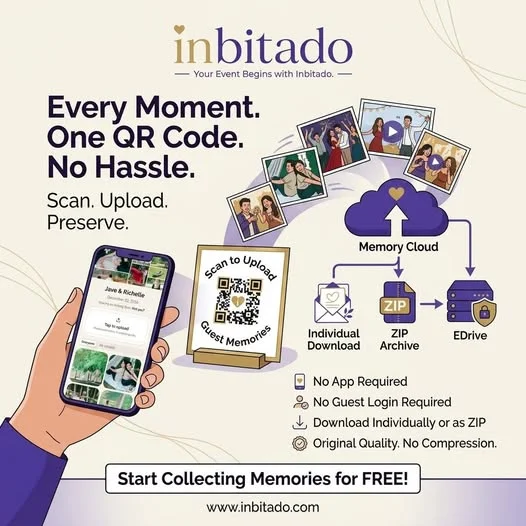
How it works: you show one QR code at the venue, on table cards or on a screen. Guests scan it with their phone camera, and their photos and videos go straight into one shared album.
Good: guests need no app and no account, so everyone from your barkada to your lolo can take part. Photos and videos are kept exactly as they were taken, and you can download the whole album anytime. You can protect the gallery with a PIN. Read more about guest photo sharing.
Watch out for: large albums need storage. Every account starts free, and paid plans add more space for 1 to 12 months. The pricing page lists each plan.
Which should you choose?
- Count your guests and their phones. The bigger and more mixed the crowd, the more it pays to ask for nothing: no app and no sign-in.
- Decide how much quality matters. If you want to print photos or keep them for years, choose an option that keeps the originals.
- Think about the day after. You will want everything in one place, ready to download, not scattered across chats.
- Make it visible at the venue. Whatever you choose, put the QR code or link on every table and say it during the program. That is what gets guests to share.
For tips on getting guests to actually upload, read how to collect every guest photo at your wedding.