Weddings
How to Collect Every Guest Photo at Your Wedding
Your guests take hundreds of photos you will never see. Here are five ways to gather them, and how a QR code makes it easy for everyone.
4 min read
Guest photo sharing
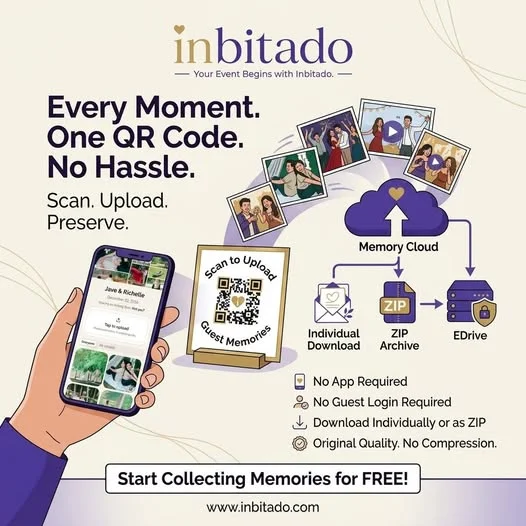
Show your QR code at the venue. Guests scan it, upload from their phones, and every photo and video lands in one shared gallery. No app and no account.
In short: Inbitado lets guests upload photos and videos to one shared album by scanning a QR code, with no app and no account. Files are kept in their original quality, and the host can download the whole album anytime.
Last updated
Guests open your album in their phone browser. There is nothing to install and no account to create.
Photos and videos arrive exactly as they were taken. Videos also get a lighter copy so they play smoothly on phones.
No more hunting through group chats. Every upload goes to the same album, and you can download it all anytime.
Download a card with your QR code in a few designs, with your own names, message and date, ready to print for every table.
Guests can leave a note with their photos, and you read them all in one place in your dashboard.
Protect the gallery with a PIN and choose what appears in it.
Add your event, and your QR code and gallery link are ready right away.
Print the table card, put the code in your program, or show it on a screen at the venue.
Browse the gallery and download the whole album in original quality, anytime.
They scan your QR code with their phone's camera. It opens your album in the browser, where they pick photos and videos to upload.
Your originals are kept exactly as they were uploaded, and you can download them anytime. Videos also get a lighter copy so they play smoothly on phones.
Yes. The memories gallery can be protected with a PIN, so only the people you share it with can open it.
It depends on your plan. Paid plans allow longer videos, and the pricing page lists the limit for each plan.
In your E-Drive, the storage shared by all your albums. Every account starts free, and a paid plan gives you more space.
Weddings
Your guests take hundreds of photos you will never see. Here are five ways to gather them, and how a QR code makes it easy for everyone.
4 min read
Guest photos
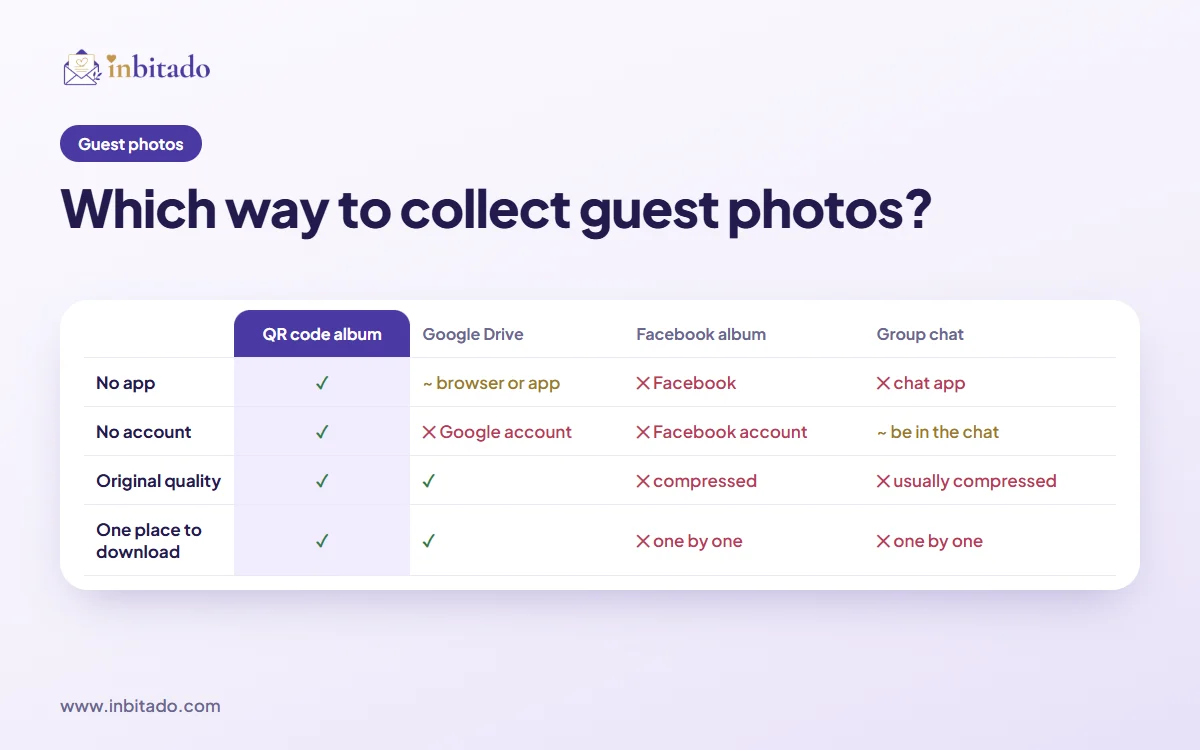
Four ways to collect guest photos at a wedding or debut, compared on apps, accounts, photo quality and download, so you can pick what fits your guests.
4 min read
Create your first album in minutes. It’s free to start.
Get started — free